Radio Times App: TV Listings Experience
Optimising the TV listings experience in the Radio Times app through time filtering, grid view and channel personalisation
Project details
Team
Kanza Leghari
Snr Product Designer
Jared P.
Micheal W.
Product Manager
Platforms & Softwares
UserTesting
User research
Figma & Claude
Design & Prototyping
Firebase
A/B testing (App)
Summary
↑ Uplift in App store ratings
↑ Uplift in daily active users on RT app
Continue reading for the detailed version.
Research &
Discovery
Sprint 1
Competitor review
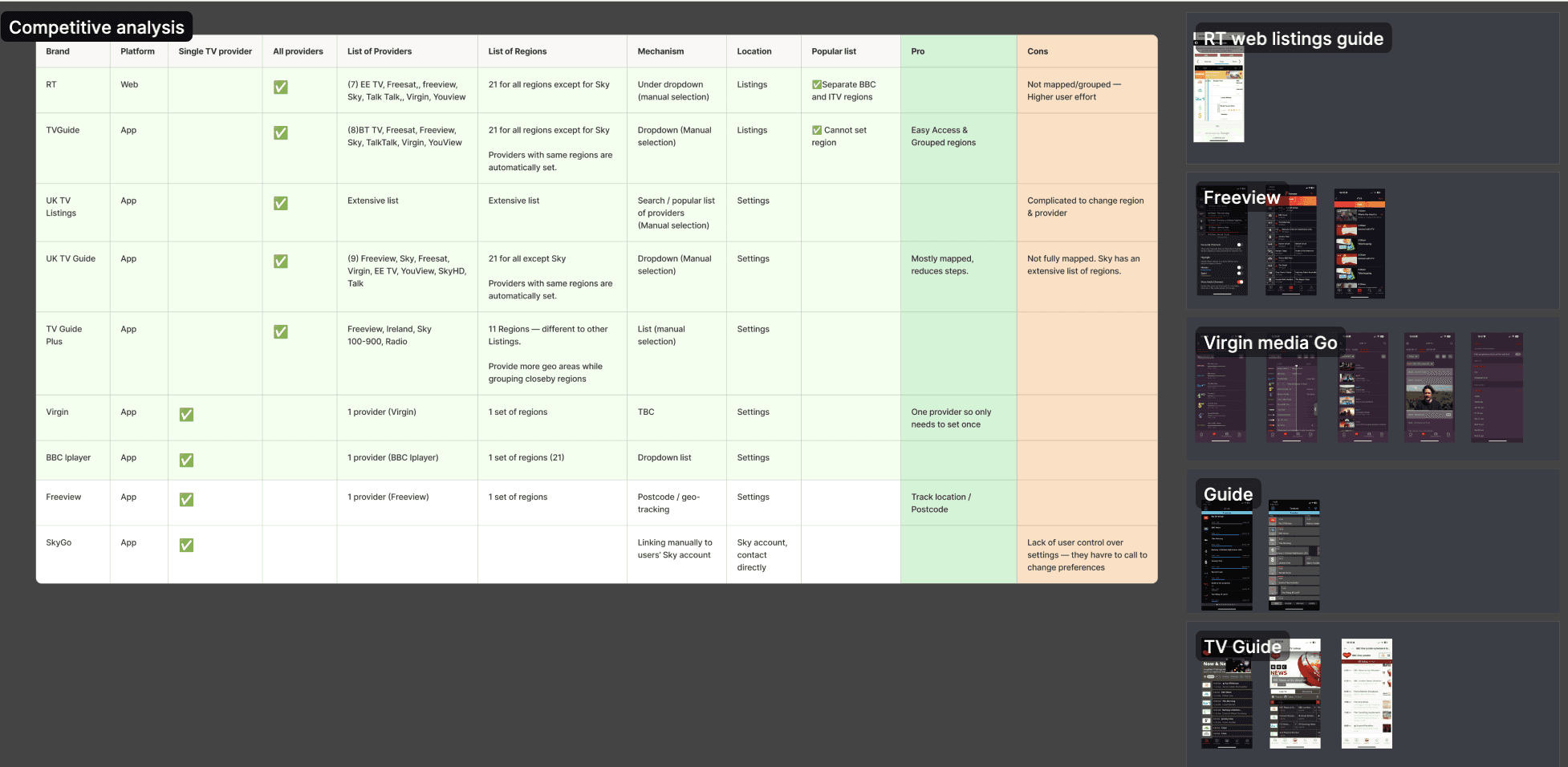
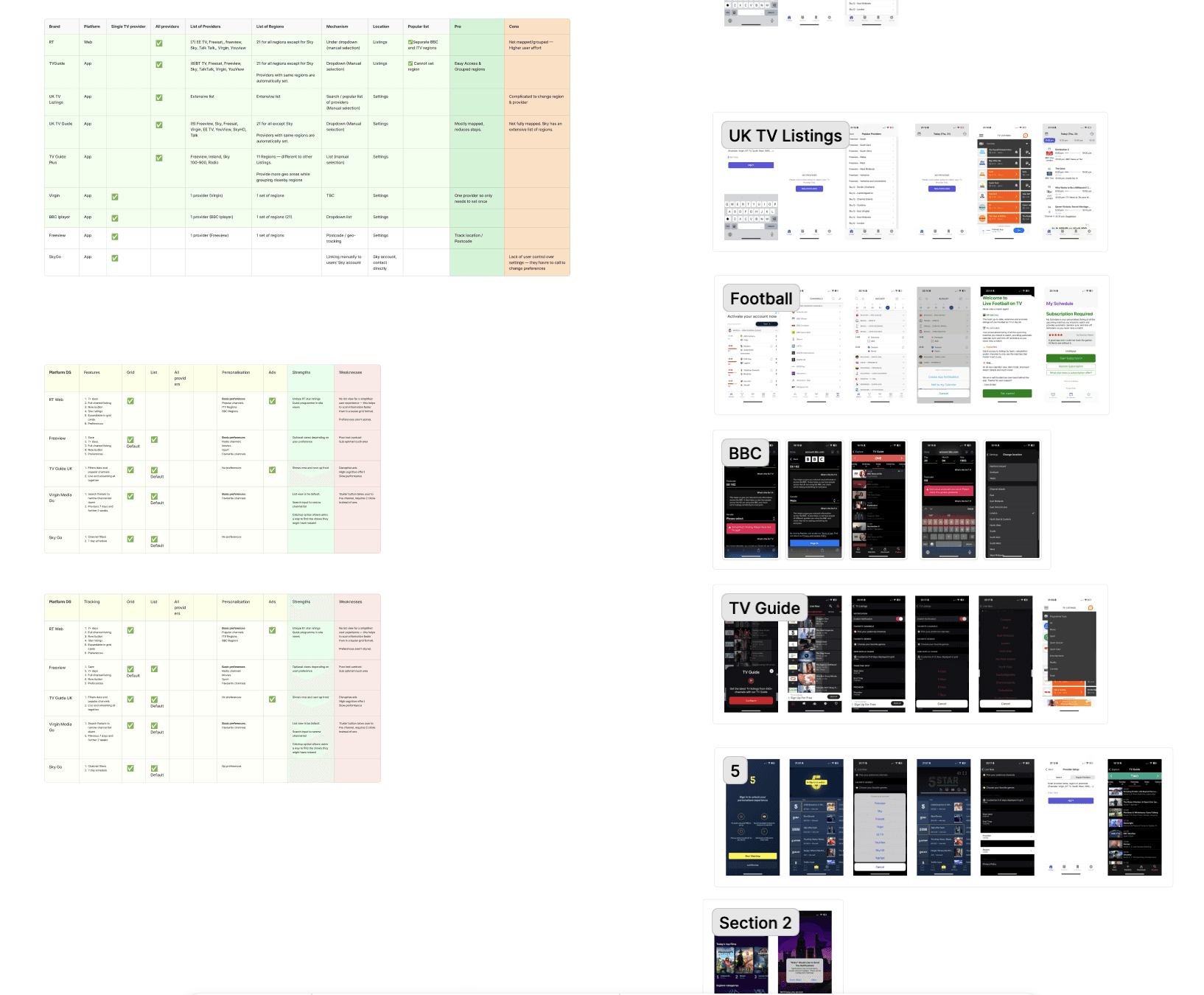
As an initial step, I reviewed several major UK TV listings platforms across both mobile apps and web to understand the baseline functionality users expect from a listings experience. This included analysing how established listings brands structure browsing, filtering, and schedule navigation. Across competitors, several patterns emerged.
Most platforms supported both list and grid views for browsing schedules
Allowed users to filter listings by specific times
Enabled users to favourite channels or personalise their listings.
These patterns helped establish a clear benchmark for the minimum functionality users expected from a TV listings experience and informed the feature set explored for the Radio Times app.
User Interviews
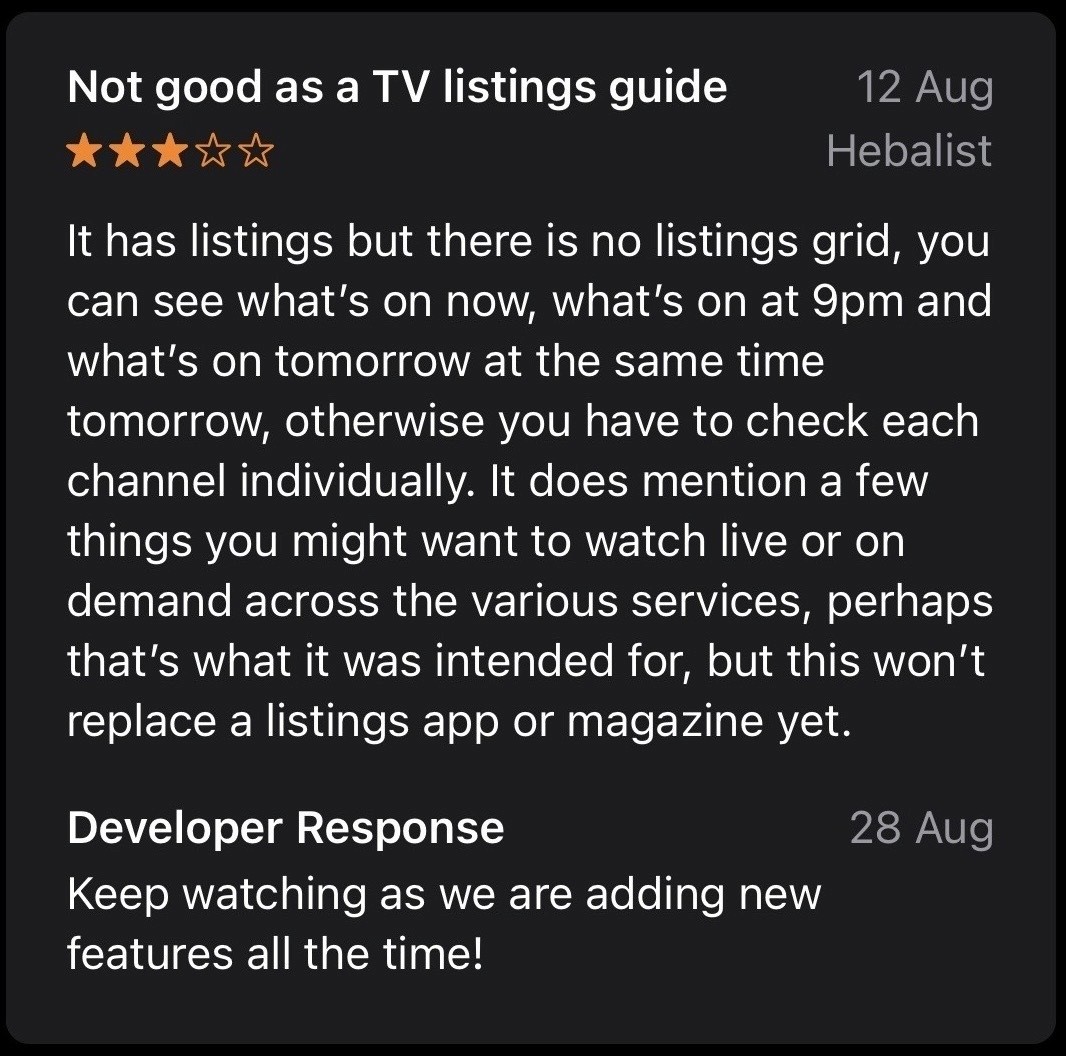
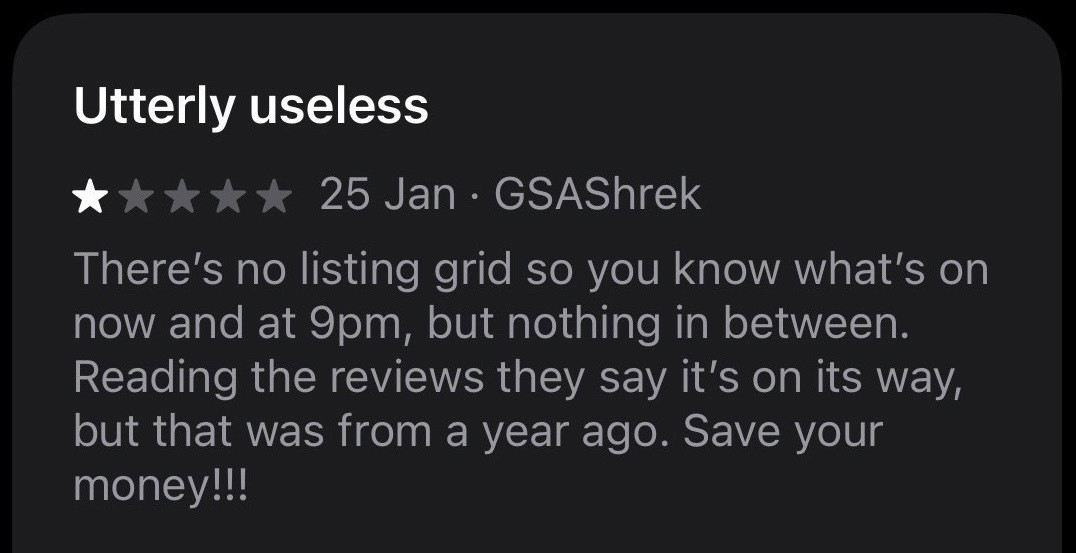
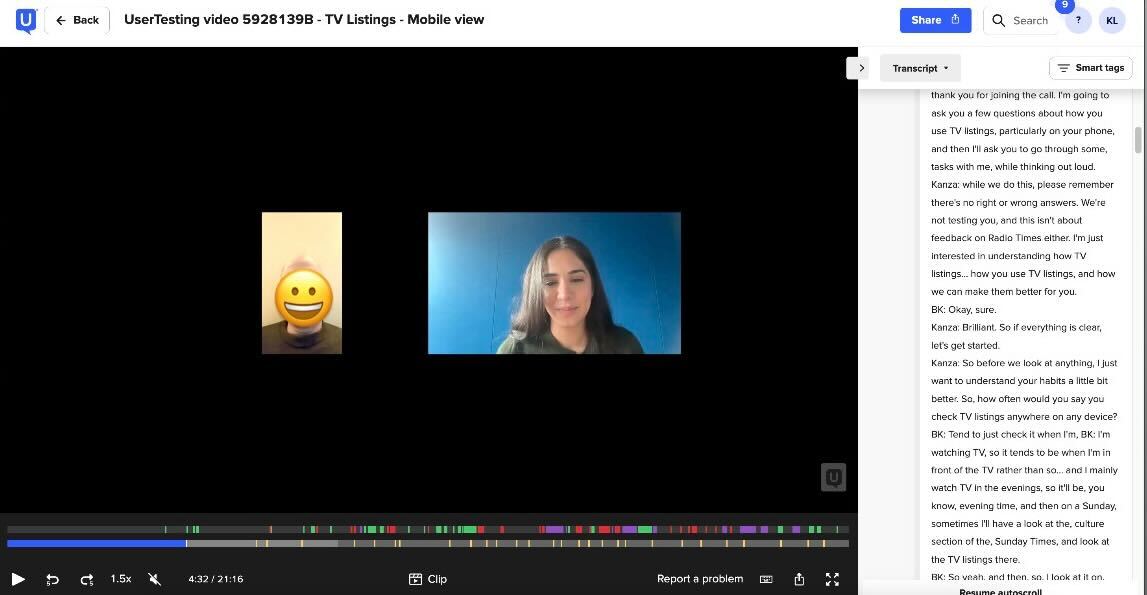
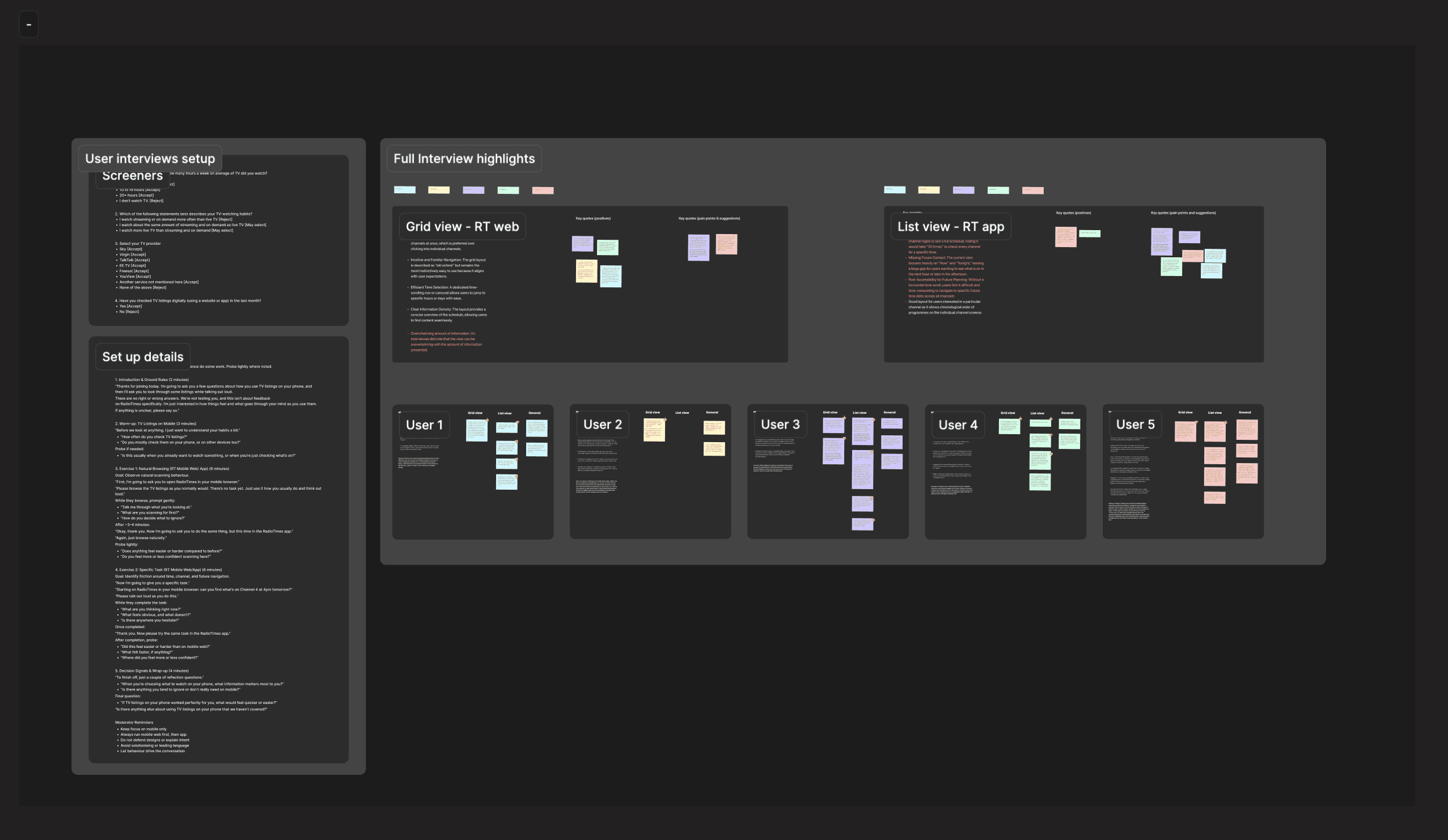
To validate the problems identified through App Store reviews and competitor analysis, I conducted a small set of user interviews with people who regularly use Radio Times content. Participants were asked to complete common browsing tasks using the existing listings view in the app, and similar tasks using the grid view listings on the Radio Times website.
The interviews reinforced three key needs: the ability to filter listings by time, the option to favourite channels, and a strong preference for grid-based schedules, which users found more intuitive for browsing TV listings.
Design & Testing
Sprint 2
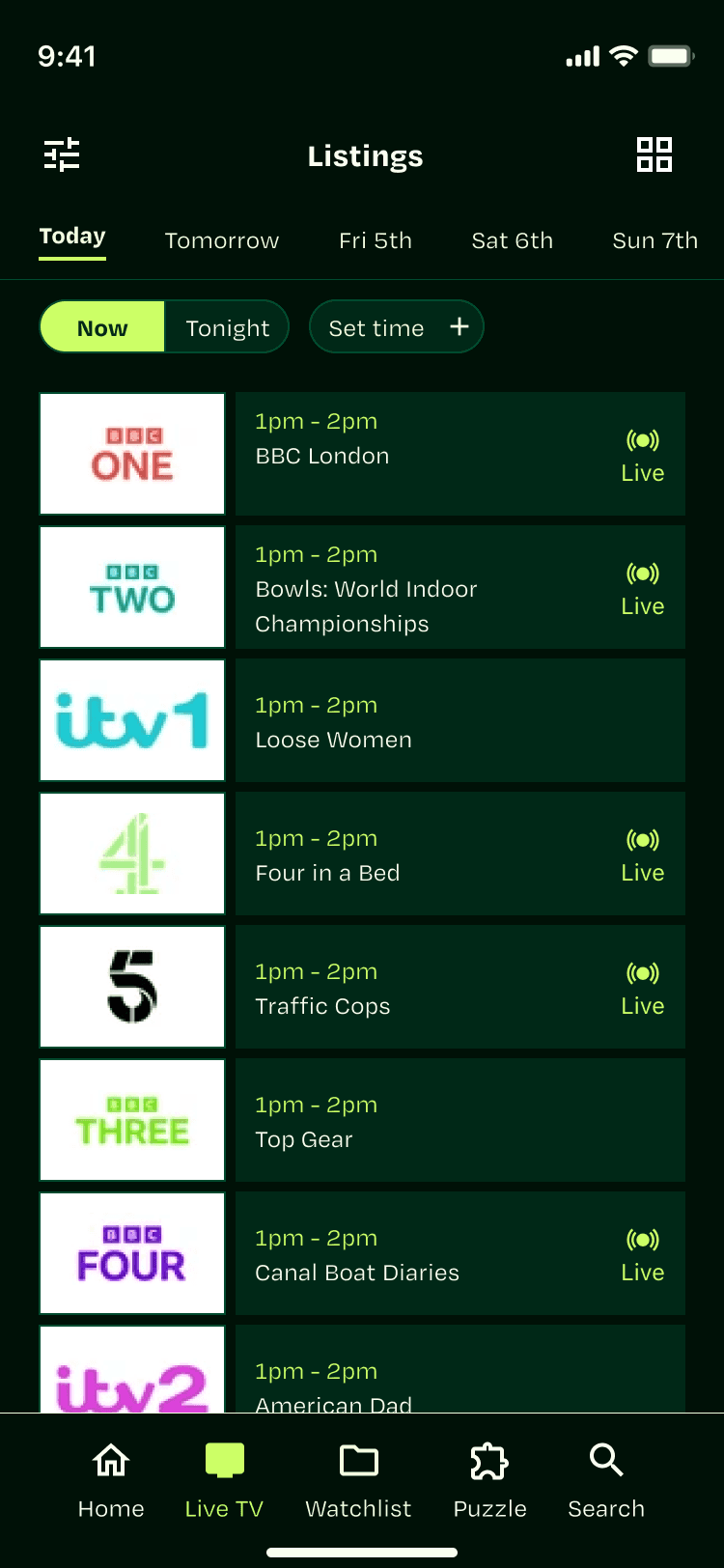
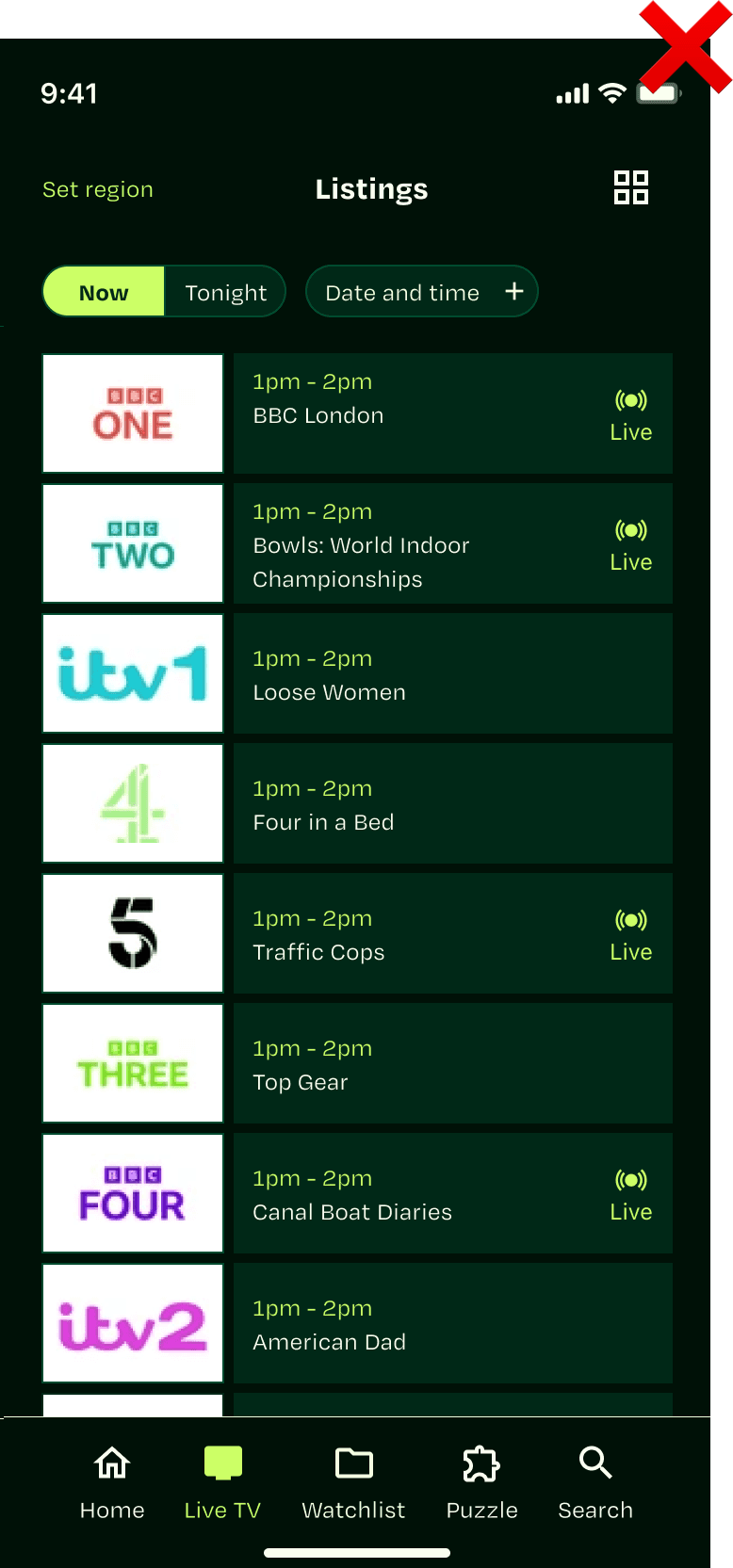
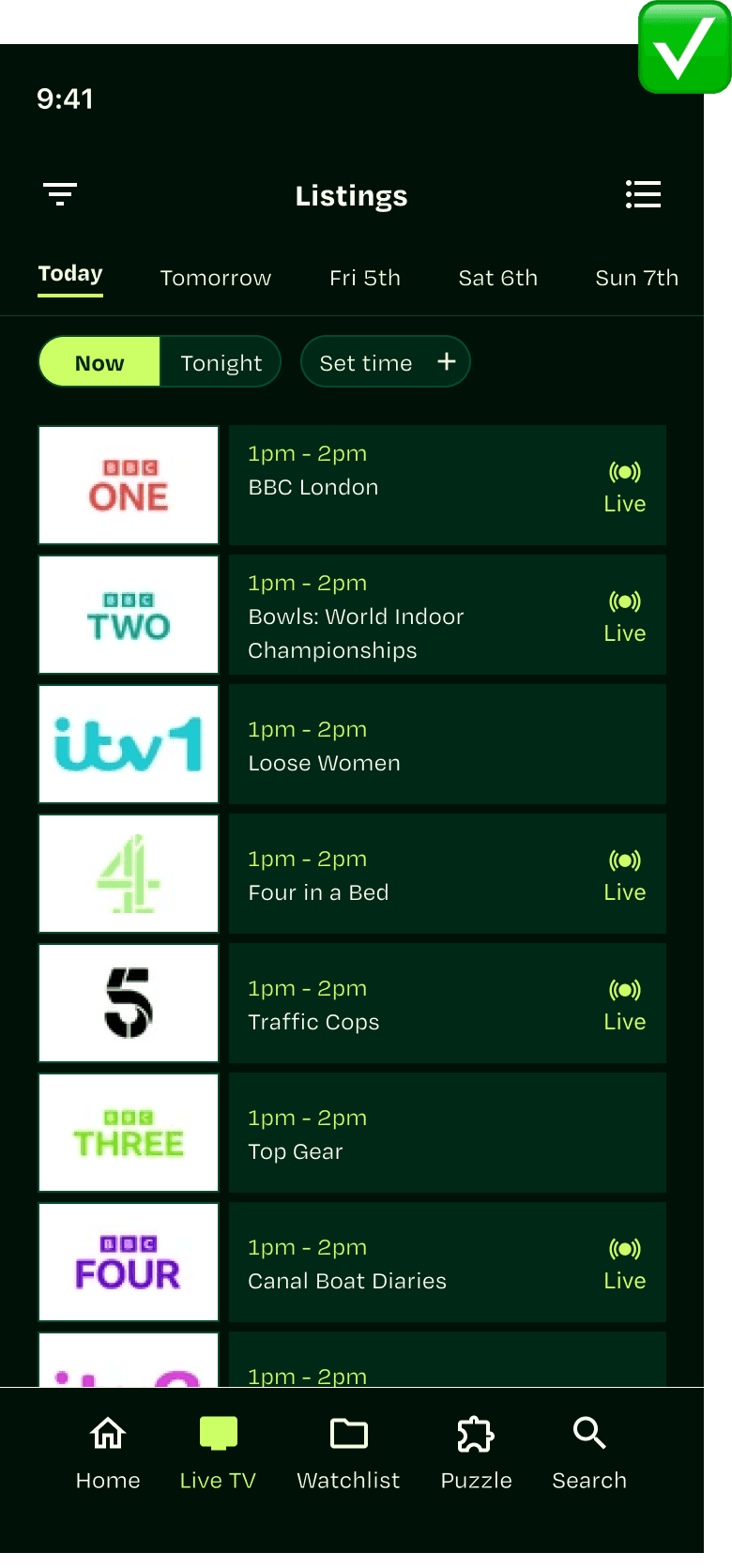
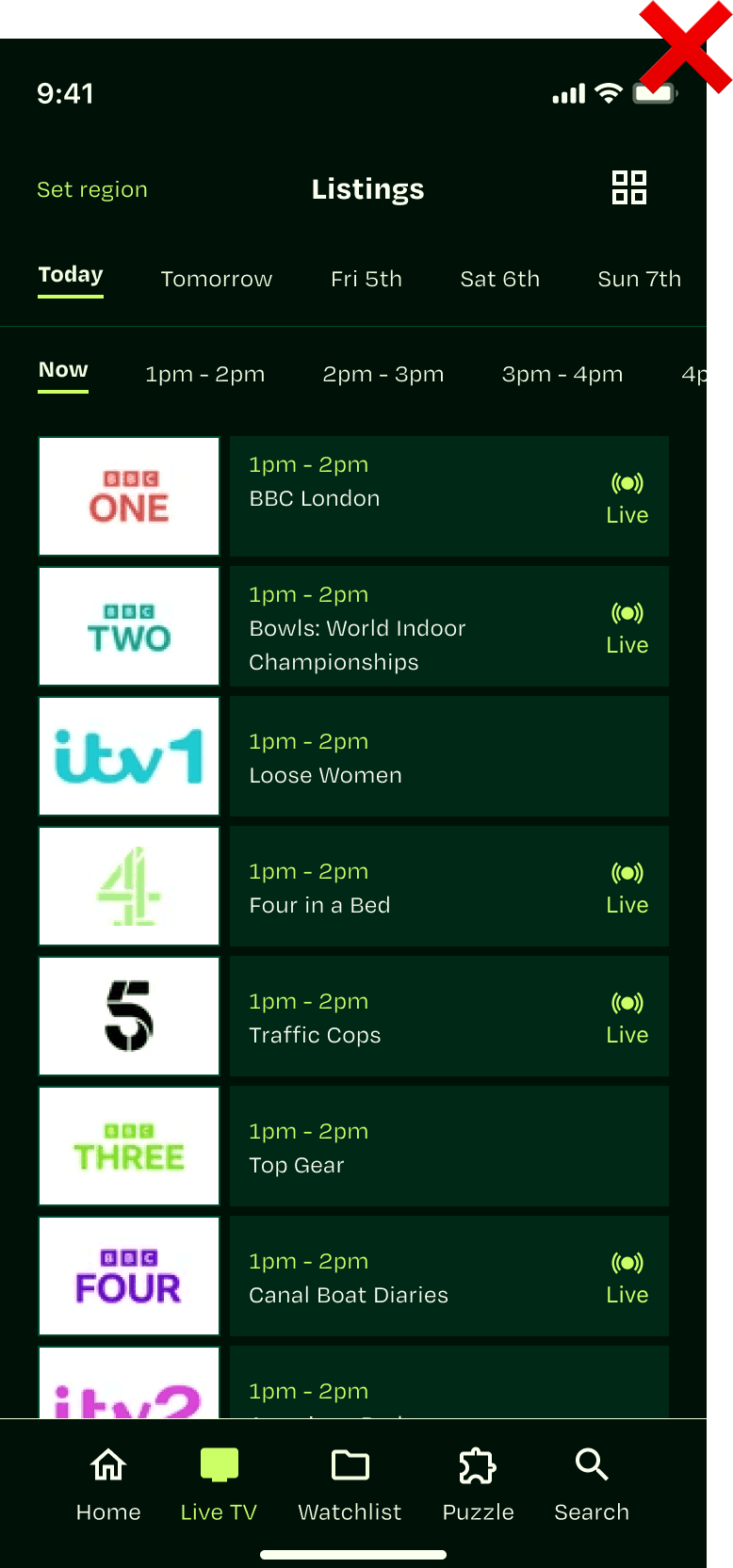
Filtering by time in list-view
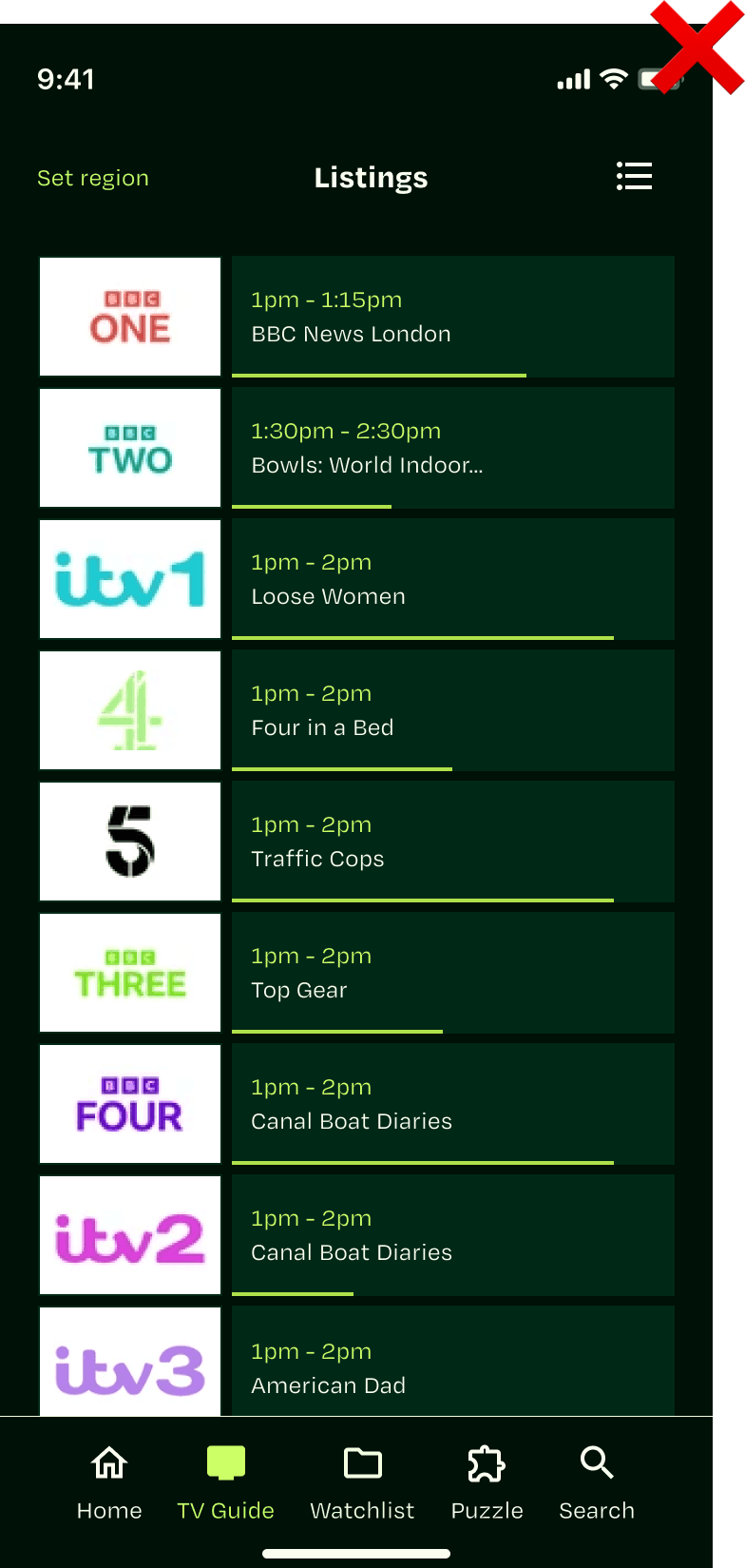
The most consistent piece of feedback from both App Store reviews and user interviews was the need to filter listings by time. The existing experience only allowed users to browse by day, which made it difficult to quickly find what was on at a specific time.
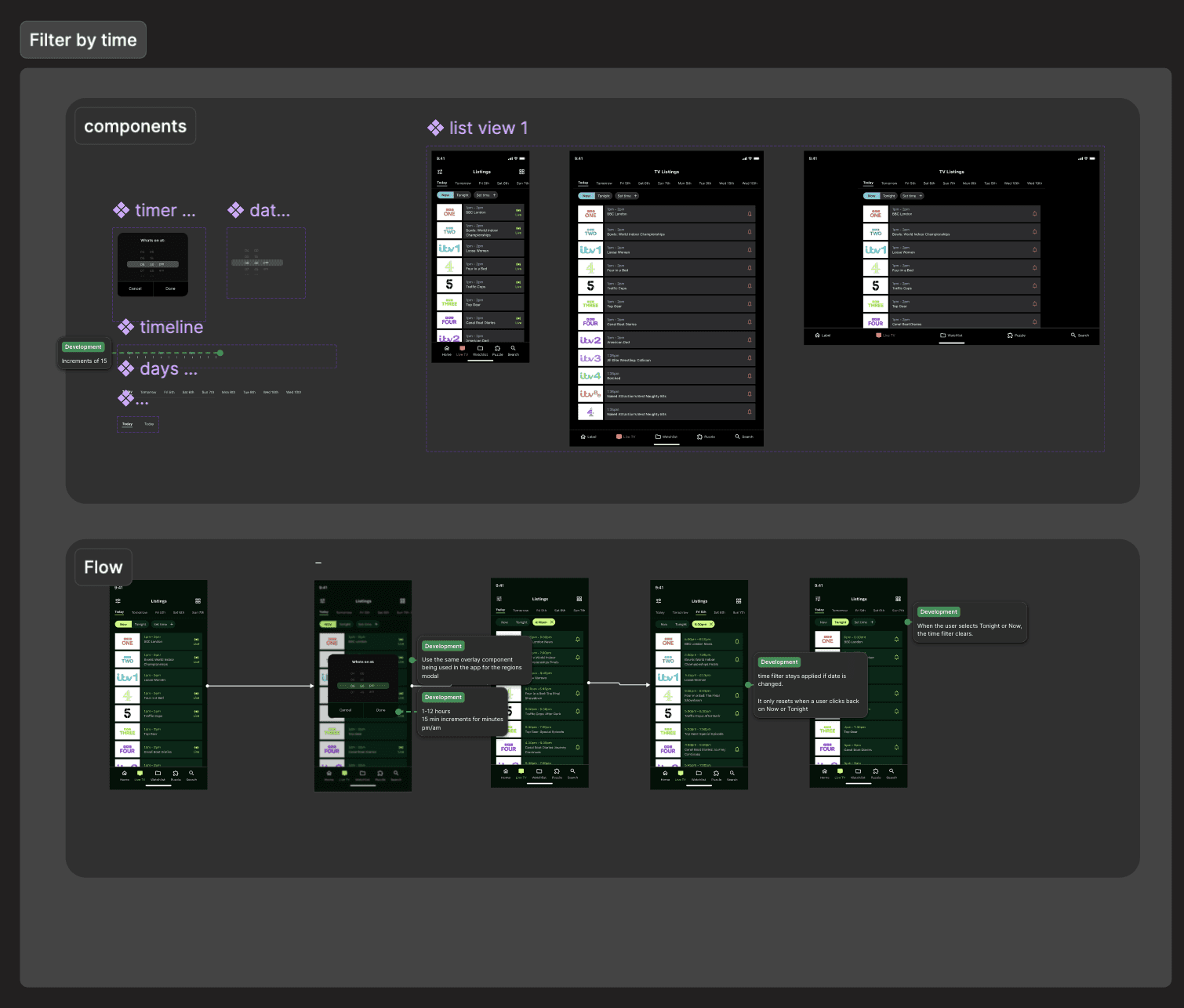
I explored several design approaches for introducing time filtering, including combining date and time selection within a single control and separating them into distinct interactions. After testing these approaches through usability testing, the strongest performing solution was keeping date and time selection separate, allowing users to first choose a day and then refine listings by a specific time.
This approach proved clearer and easier for users to understand, and was selected as the final design.
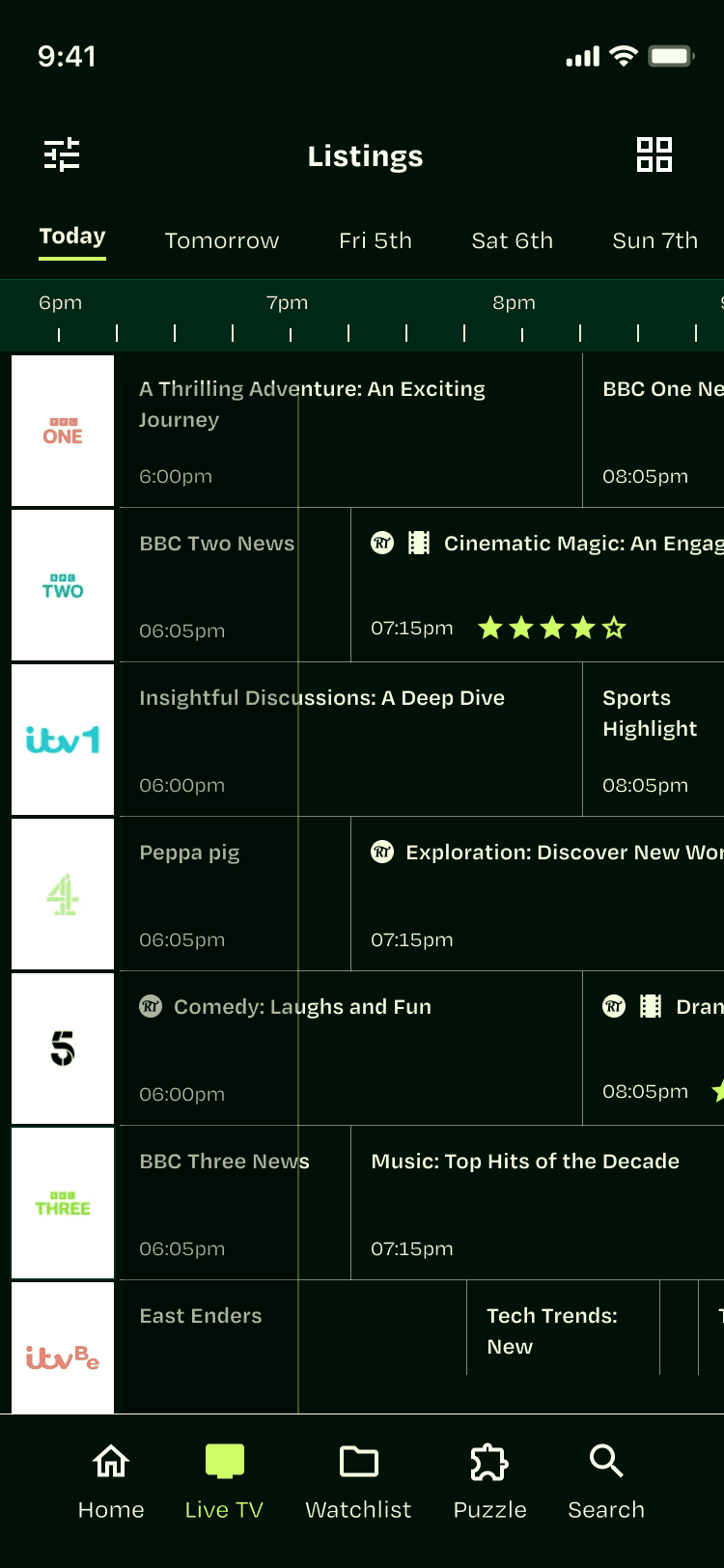
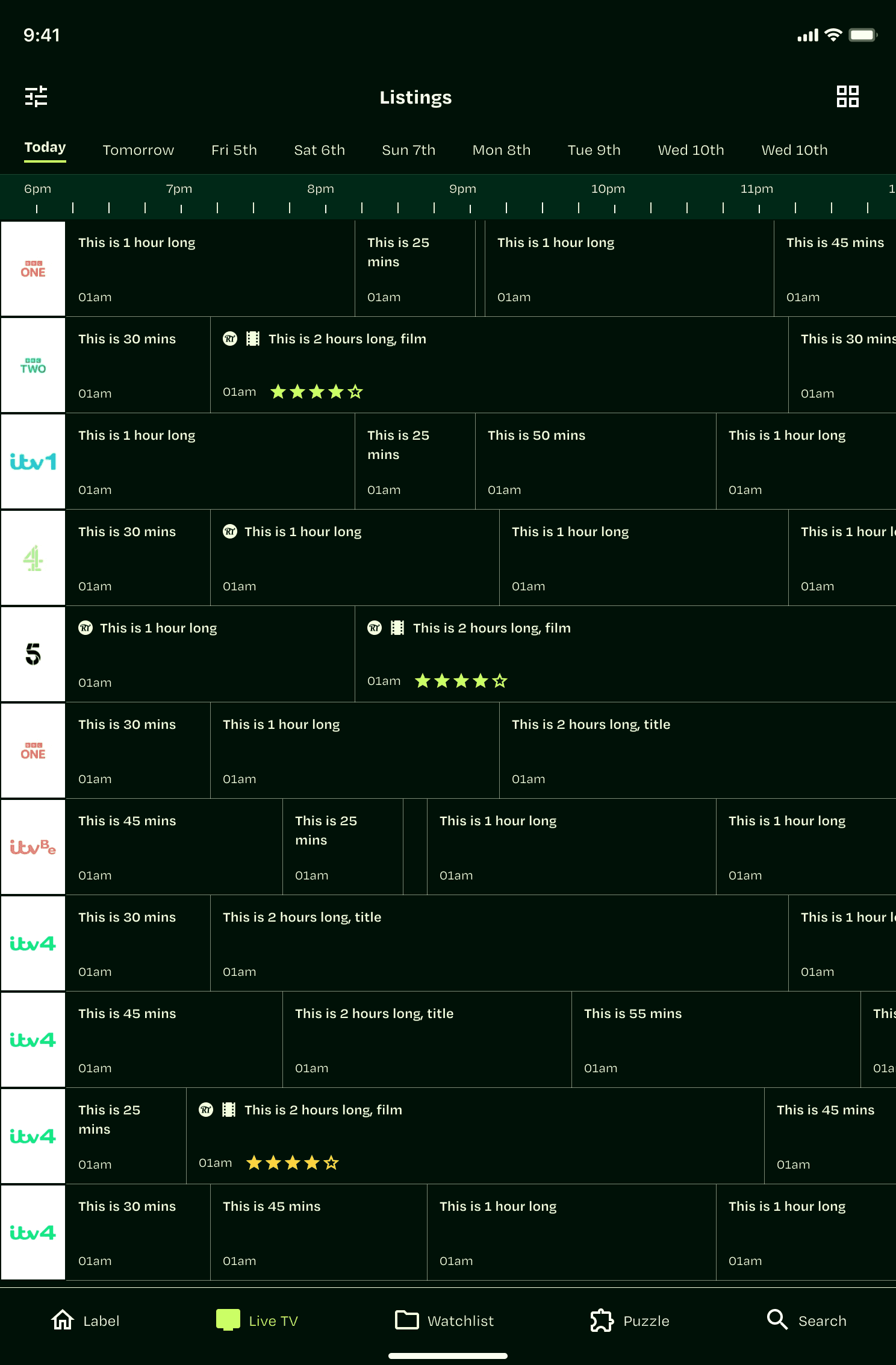
Listing in grid view
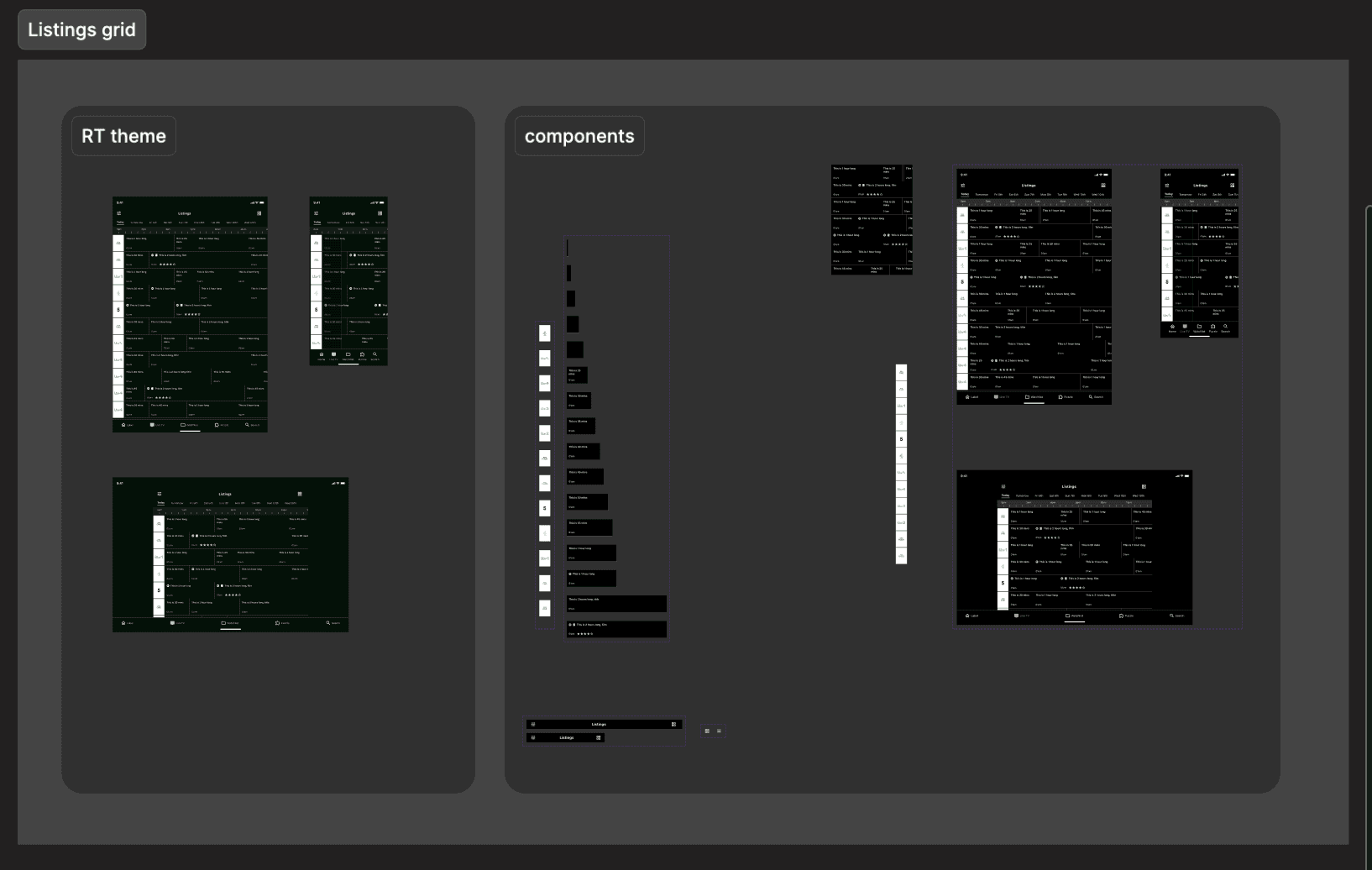
I also introduced a grid-based listings view in the app, a format widely used across TV guides and strongly preferred by users for scanning schedules across multiple channels. The design adapts the existing Radio Times web grid, optimised for mobile by simplifying the layout and reducing cell heights so more channels are visible within the viewport.
Users can switch between list and grid view via a toggle, with day filtering kept consistent across both formats.
Channel preferences
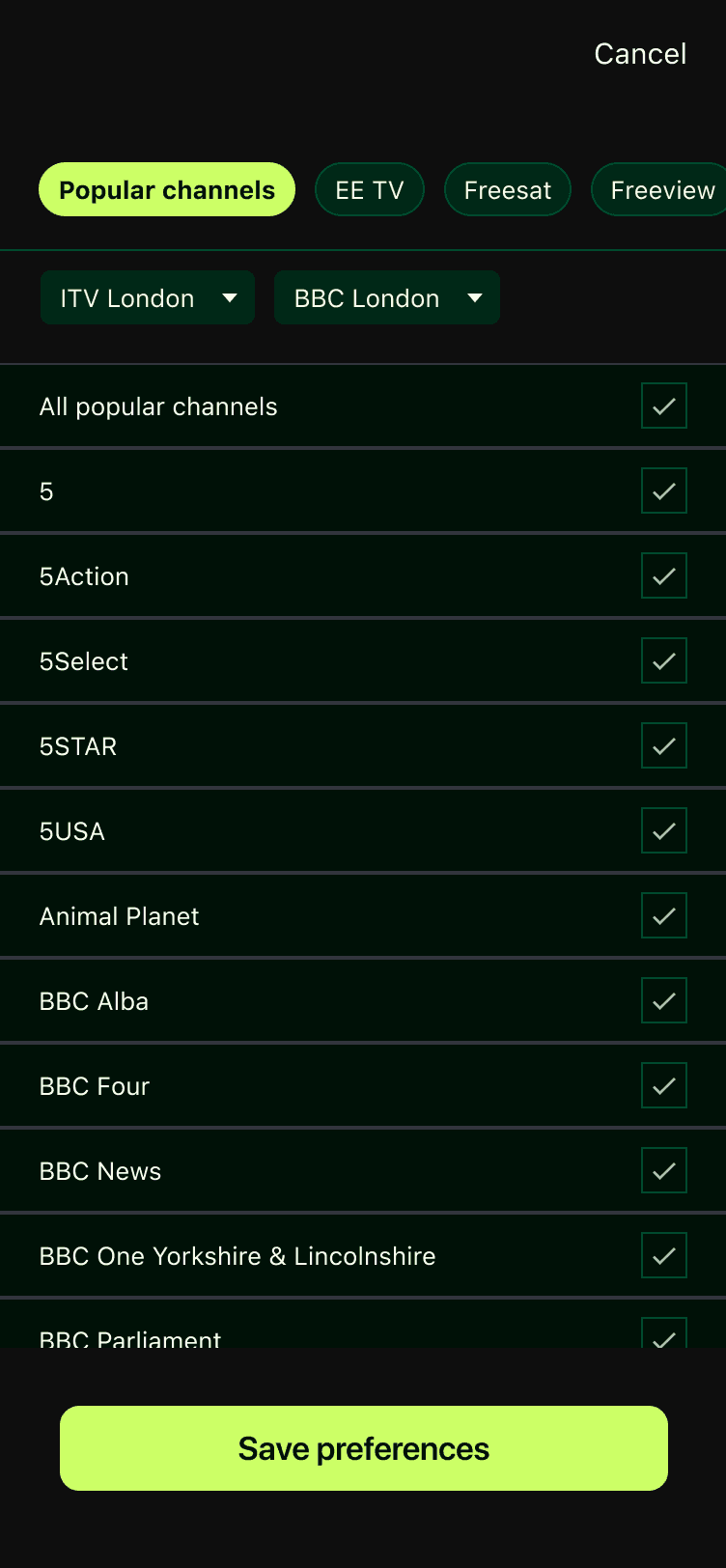
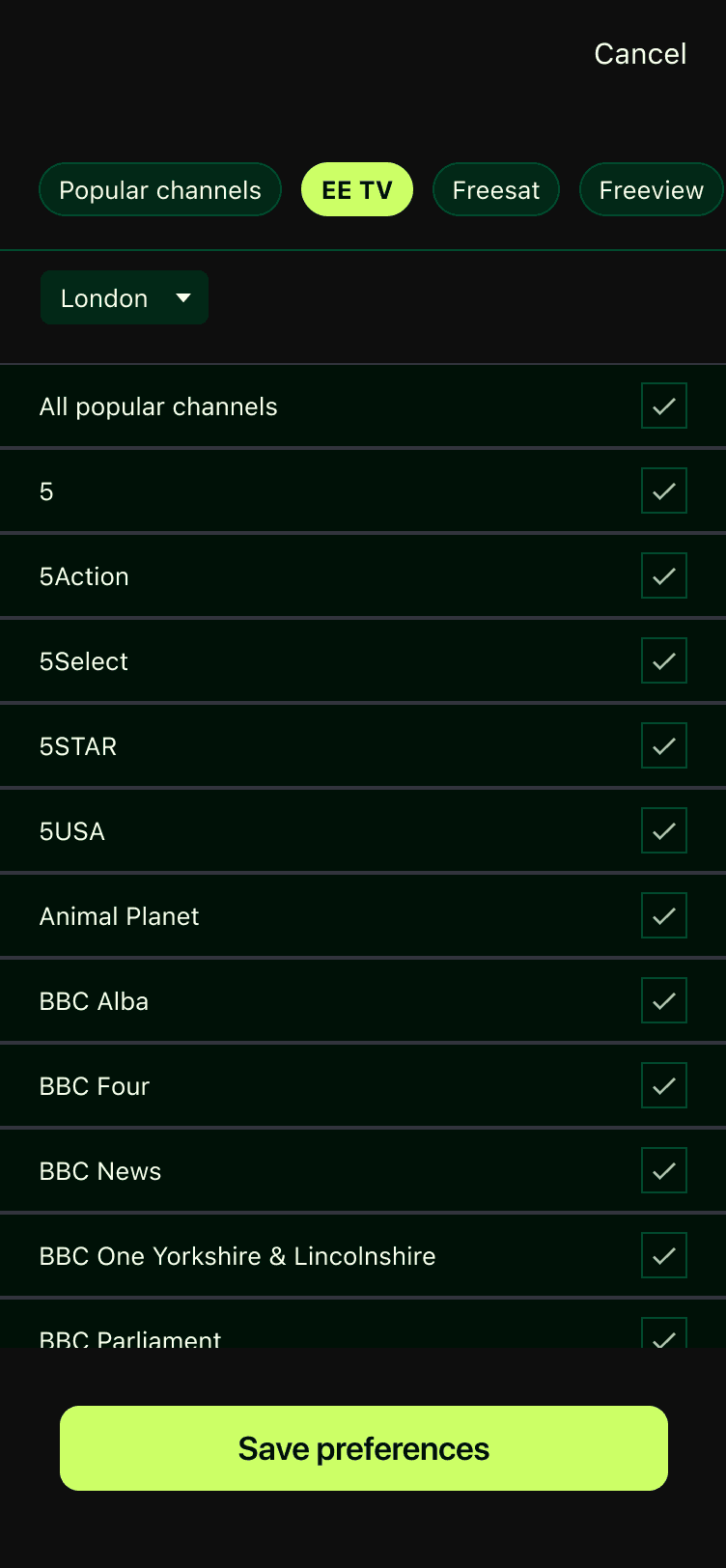
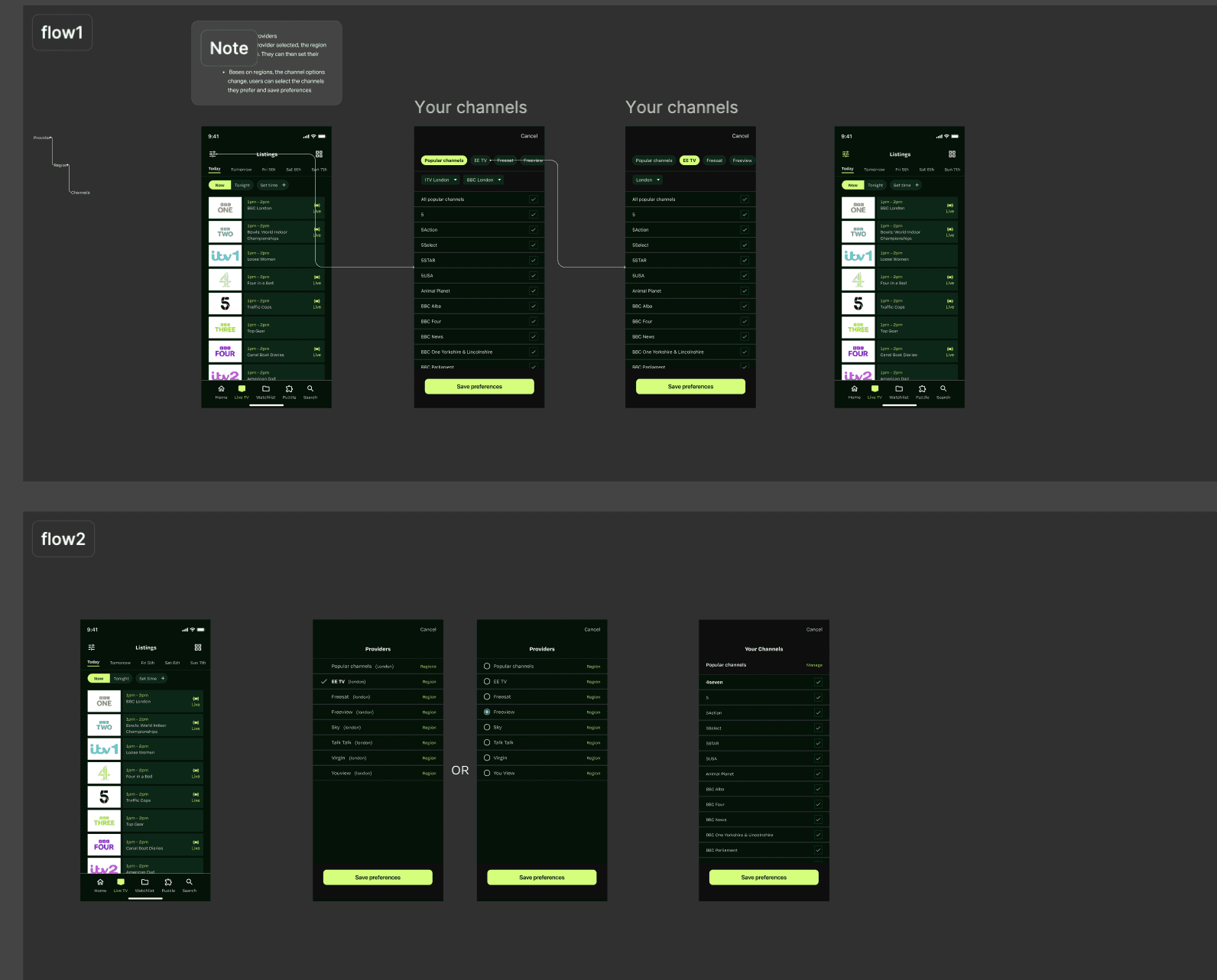
To make listings easier to navigate, I introduced the ability for users to select preferred channels and providers. Users can choose these through a filter panel, allowing listings to prioritise the channels they care about most. These preferences are saved, so the app remembers a user’s selected channels across future sessions.
Dev Handover
Sprint 2
I shared progress with the development team throughout the 2 sprints to ensure feasibility and alignment ahead of implementation. Once designs were finalised, I provided detailed component specifications and annotated flows so the team could clearly understand interactions and edge cases. This allowed development to begin with minimal ambiguity while keeping communication open for questions.
Outcomes &
Learnings
↑ Uplift in App store ratings
32%↑ Daily active users on RT app